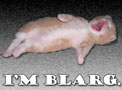
Added some code to the Smilies template so you can use the blarg's mascot in your comments. The extended BBCodes are:
- [ blarg ]
- [ blarg.l ]
- [ blarg.r ]
Puts blarg cat inline in your text
Puts blarg cat floating to the left of your text
Puts blarg cat floating to the right of your text.
Make sure not to place the included spaces within the []'s. Examples after the bump.
This is blarg cat . He is positioned inline.
This is blarg cat. His tag ends with a lower case L. He floats to the left.
This is blarg cat. His tag ends with a lower case R. He floats to the right.
When it comes to blarg cat floating right, it helps to put the tag in, hit enter, and start writing on the line below the tag. Isn't HTML fun? Piece of fucking shit markup language agasdffasdfdf....

Added a few more fun ones; this one's the freaked-out coder guy from www.codinghorror.com. Perfect for nightmarish programming posts.
Forgot to mention that the coding horror guy tag is [ codinghorror ].
Not sure what to do with the image stepping all over other stuff on the page. I'll probably see if I can add some stuff to the comment template to help fix it...
-
[blarg]
-
[blarg.left]
-
[blarg.right]
-
 [csharp]
-
[csharp.left]
-
[csharp.right]
-
[horror]
-
[horror.left]
-
[horror.right]
-
 [wtmf.small]
-
 [wtmf.small.left]
-
[wtmf.small.right]
-
 [wtmf.large]
-
[wtmf.large.left]
-
[wtmf.large.right]
-
 [huh.small]
-
[huh.small.left]
-
[huh.small.right]
-
 [huh.large]
-
[huh.large.left]
-
[huh.large.right]
-
 [hate.small]
-
[hate.small.left]
-
[hate.small.right]
-
 [hate.large]
-
[hate.large.left]
-
[hate.large.right]